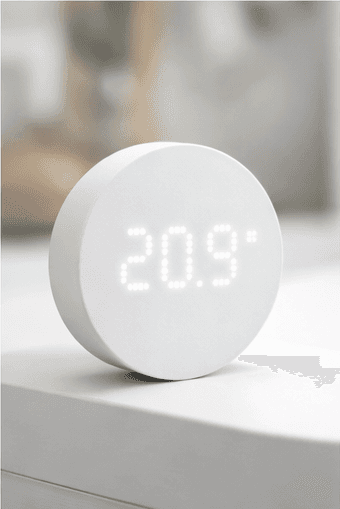
This is a review of the TIMMERFLOTTE after hands-on use in an Apple Home setup. If you've been looking for a cheap, reliable way to monitor temperature and humidity in your home and feed that data into automations, this is worth your time.
WHAT IS THE TIMMERFLOTTE?
The TIMMERFLOTTE is a small wireless sensor that measures both temperature and humidity. It displays both readings on its front screen and communicates over Matter via Thread, which means it works with Apple Home, Google Home, Amazon Alexa, and Home Assistant — provided you have a suitable Thread border router in your setup.
If you have a HomePod mini, a second-generation Apple TV 4K, or any Apple device acting as a Thread border router, you already have everything you need.
At roughly £5 in the UK (around $9.99 in the US), it sits comfortably at the budget end of the Matter sensor market. Actually, it doesn't just sit at the budget end — it basically defines it.
What is Matter? Matter is a smart home standard designed to let devices from different brands work together. Thread is the wireless protocol that Matter-over-Thread devices use to communicate — it's low power, mesh-based, and generally more reliable than Wi-Fi for small battery-powered sensors. You can read more in matter-thread-wifi-bluetooth-what-actually-matters-in-apple-home
DESIGN AND BUILD
The TIMMERFLOTTE is small, matte white, and rounded. It looks like something IKEA would make, which is to say it looks deliberately inoffensive and blends into most rooms without drawing attention. That's the right design choice for a sensor.
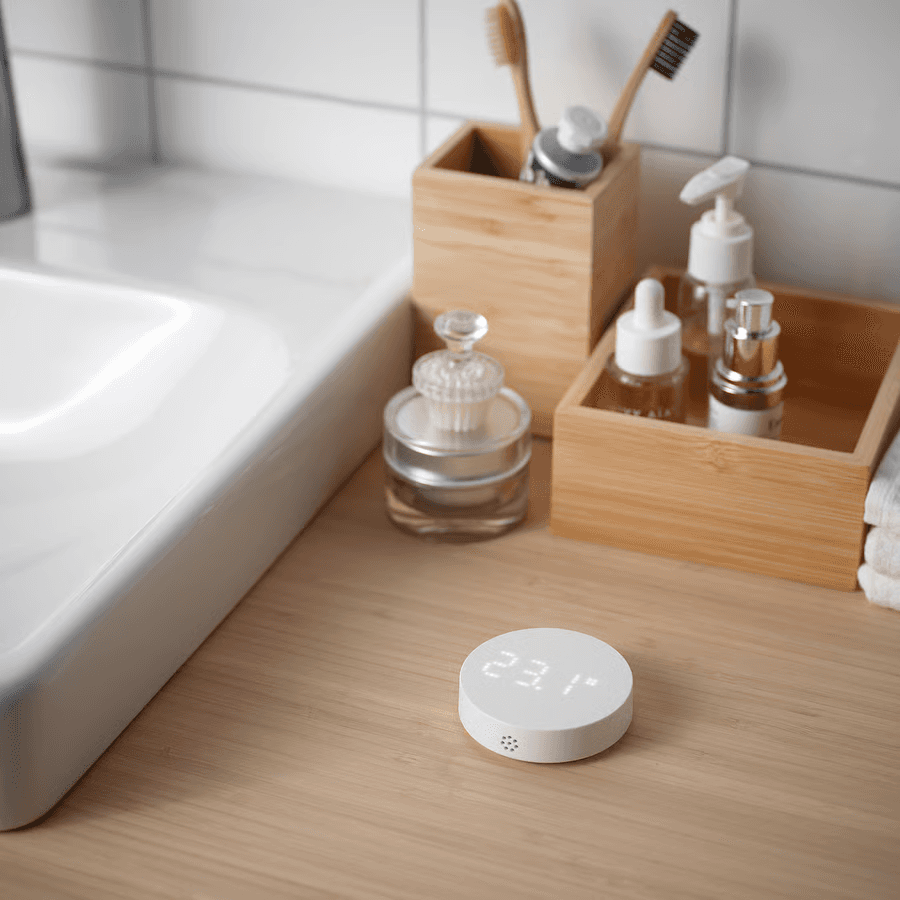
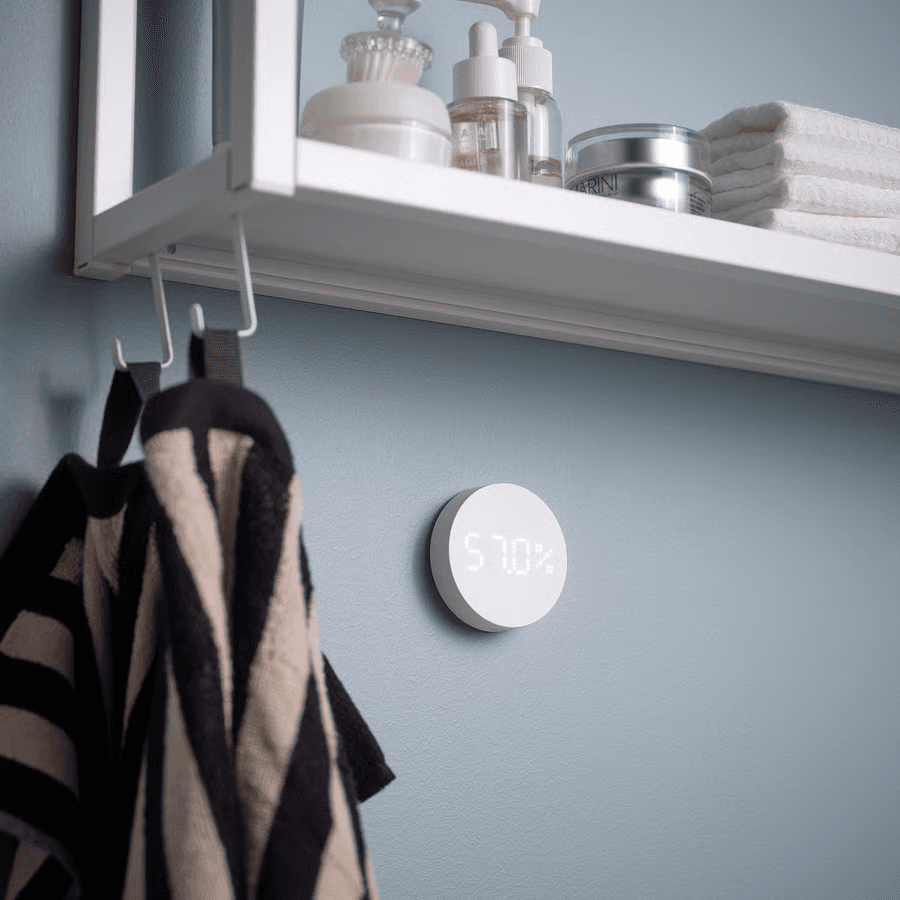
It runs on two AAA batteries, which are not included. Mounting options are flexible: it can sit on any flat surface, hang from a nail or hook. For most people, popping it on a windowsill or shelf is going to be the obvious choice as long as its out of direct sunlight.
The display shows the current temperature or humidity reading when you press the front face. That press-to-wake behaviour is the one obvious compromise at this price point — the display is not always-on. If you want to glance at the temperature across the room without moving, this isn't going to do that. Whether that matters depends entirely on how you plan to use it.
Under the battery cover there's a small switch to toggle between Celsius and Fahrenheit.
Build quality is fine for the price. It doesn't feel cheap in a way that makes you worry about it lasting, but it's also clearly not a premium product. The plastic is solid, the display is clear, and the overall size is small enough that placement is never really a problem.
SETUP AND APPLE HOME INTEGRATION
Setup follows the standard Matter flow. Open the Home app, tap the + button to add an accessory, and either scan the QR code on the back of the device or enter the code manually. Your HomePod or Apple TV handles the Thread pairing in the background.
In testing, this process took under two minutes from out-of-the-box to showing up in Apple Home with live readings. That's about as smooth as Matter device pairing gets.
Once added, the TIMMERFLOTTE appears in the Home app as two separate tiles: one for temperature and one for humidity. Both update at regular intervals and display correctly in the Home app on iPhone, iPad, and through the Home widget.
You don't need IKEA's app The TIMMERFLOTTE works directly with Apple Home via Matter without needing to install the IKEA Home app or create an IKEA account. Some online guides suggest the IKEA app as part of setup — skip it. The Matter pairing flow through Apple Home is faster and simpler.
ACCURACY: TEMPERATURE
Temperature accuracy is where the TIMMERFLOTTE genuinely earns its keep. From early testinf I place its readings within around 0.5–1°C of trusted reference thermostats. That's perfectly acceptable for home monitoring.
In practice, this means you can trust the readings for real-world use: checking whether a room is warm enough before you get up, monitoring whether a baby's room has cooled down overnight, or triggering automations based on temperature thresholds. It's not lab-grade accuracy, but it doesn't need to be.
ACCURACY: HUMIDITY
Humidity is the less impressive side of the story. Early testing run around 5–7% higher than reference values.
For general comfort monitoring — keeping an eye on whether a room is getting damp, or whether humidity is creeping up in summer — this is probably fine. If you're monitoring humidity for a specific purpose that requires precise readings, like a humidor, a server room, or any kind of professional environment, the TIMMERFLOTTE is probably not the right tool and you should be spending more money.
BATTERY LIFE
It's early days for long-term battery assessments, but initial reports are promising. Some have noted 100% battery remaining after more than a month of continuous logging. Given that the sensor only communicates over Thread and has a non-always-on display, there's no particular reason to expect battery life to be poor. Two AAA batteries should last a reasonable amount of time.
USING IT IN APPLE HOME AUTOMATIONS
This is where the TIMMERFLOTTE becomes genuinely useful rather than just a cheap gadget to tell you something you could check with a thermometer.
Because the temperature and humidity data is available in Apple Home, you can use it as a trigger for automations. Some practical examples:
Temperature-based automations — turn on a fan when a room exceeds a certain temperature, or trigger a notification if a room drops below a threshold overnight.
Humidity-based automations — turn on a dehumidifier when humidity climbs above 65% in a bedroom, or alert you if the bathroom stays humid long after a shower (which can indicate a ventilation problem).
Combined logic — using iOS Shortcuts, you can build more complex automations that consider both temperature and humidity together. For example, running a fan only when it's both above a temperature threshold and above a humidity threshold, rather than triggering on either condition alone.
tip: Need to build automations based on a sensor value? Apple Home's built-in automation editor can handle simple threshold triggers — "when temperature rises above X, do Y." For more complex logic, have a look at convert-home-automations-to-shortcuts for how to extend what's possible.
The sensor's readings update at regular intervals rather than in real time, which is worth knowing if you're building time-sensitive automations. For typical comfort monitoring and home automation use cases, the update frequency is not a problem.
WHAT ABOUT AVAILABILITY?
This is a practical issue worth flagging: the TIMMERFLOTTE sells out regularly. Online stock through IKEA's website can be patchy, and checking in-store is often the more reliable option. If you're buying multiple units to cover several rooms, it's worth checking stock before you commit to a plan that requires four of them at once.
HONEST DOWNSIDES
The display requires a button press. For a bedside sensor or a device you walk past and want to glance at. It's the clearest compromise at this price.
Humidity readings may not be precise enough for specialist use. Explained above — fine for general monitoring, not fine if precision matters.
App and firmware issues in the IKEA ecosystem. If you plan to use the TIMMERFLOTTE through the IKEA Home app rather than Apple Home, there are more reported reliability issues. Since you're reading a HomeKit blog, this probably isn't your path — but it's worth knowing if you're recommending these to someone using a different ecosystem.
Stock availability. Covered above, but worth reiterating: buy them when you see them.
VERDICT
The TIMMERFLOTTE is a strong product at an almost unreasonably low price. Temperature accuracy is solid, Matter/Thread setup with Apple Home is smooth, and the design is unobtrusive enough to work anywhere in the house. For general home comfort monitoring and basic Apple Home automations, it does everything you'd want a sensor at this price to do.
The press-to-wake display is the only compromise that might affect daily use. Humidity accuracy is good enough for most people but not for specialist purposes. Neither of those things changes the fundamental value proposition.
If you want to add temperature and humidity monitoring to Apple Home without spending much, buy one, test it in your setup, and then decide whether to add more across the house. At £5, the risk of finding out it doesn't suit your specific needs is about as low as it gets.
★★★★★ 5/5
READ NEXT





More in
Reviews
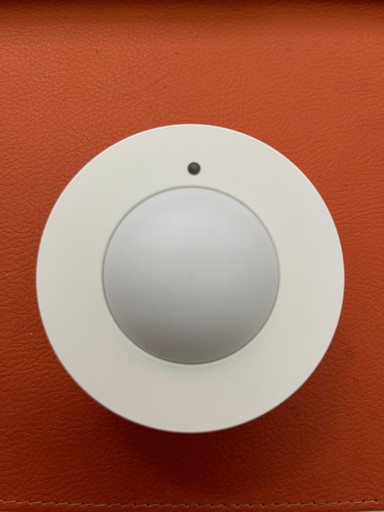
IKEA MYGGSPRAY Review: A £7 Matter Motion Sensor
Reviews
IKEA BILRESA Dual Button Remote (Matter) - First Impressions in Apple Home
Reviews
Aqara FP2 Presence Sensor – 1 Year Later (Zones, Ghosting, and What I’d Buy Now)

Reviews
Review: Eve Motion Sensor

Reviews
Review: Onvis SMS1 Motion Sensor
Reviews
Aqara G4 Doorbell
Reviews
HomePod Software Update 18.2

Reviews
Aqara Door and Window Sensor

Reviews