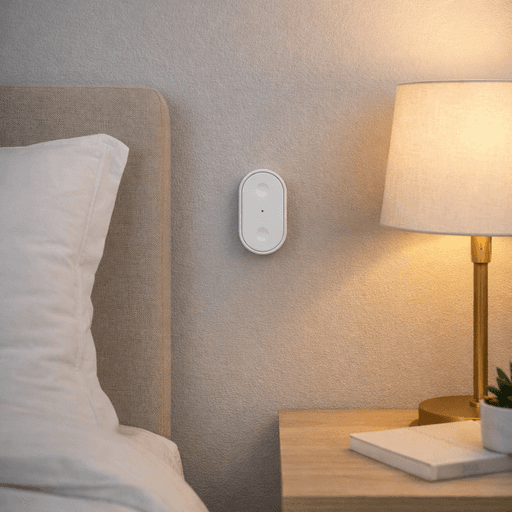
The IKEA BILRESA dual button remote is one of the cheapest Matter accessories you can buy in the UK right now, and on paper it does something very simple: it gives you two physical buttons that integrate directly with Apple Home via Matter, with no hub required.
This is a new addition to my setup, so this isn’t a long-term verdict. Instead, this post covers what it is, how it pairs, and where it already looks promising in an Apple Home environment.
FIRST IMPRESSIONS
If you want a cheap, Matter-native button to trigger lights or scenes in Apple Home, the IKEA BILRESA looks like excellent value at £3.
It’s simple, flexible, and surprisingly capable for the price.
WHAT YOU’LL GET FROM THIS POST
Best for:
Anyone who wants simple, physical control in Apple Home without adding another hub.
What this covers:
Design, specifications, pairing, and early use cases.
Setup time:
5–10 minutes
Difficulty:
Easy
WHAT IS THE BILRESA?
The BILRESA dual button remote is a small, battery-powered Matter controller with two physical buttons. Once paired using Matter, it appears directly in the Apple Home app and can be used as a trigger for scenes or automations.
There’s no display, and no built-in logic. All the intelligence lives in Apple Home — the BILRESA simply reports button interactions.
That simplicity is very much intentional.
SPECIFICATIONS (DUAL BUTTON VERSION)
Price (UK): £3
Protocol: Matter
Buttons: 2 physical buttons
Press types: Single-press, multi-press, and long-press, so that's 6 functions.
Battery: 2 × AAA (not included)
Dimensions: 70 mm × 36 mm × 19 mm
Material: ABS plastic
Colour: White
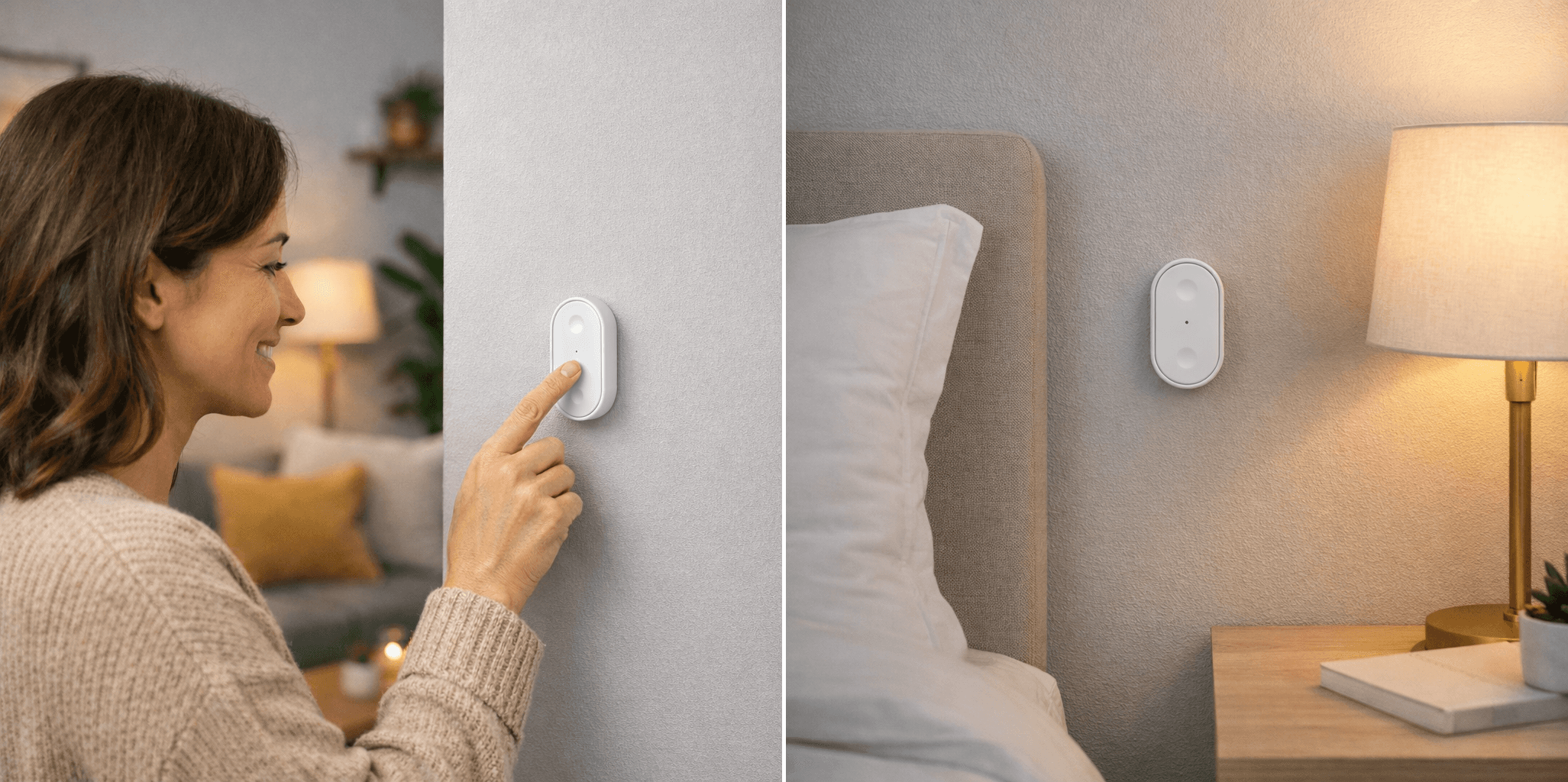
Mounting: Flat surface or wall (adhesive) or magnetic mount.
At this price, it’s one of the lowest-cost ways to experiment with Matter buttons in Apple Home.
DESIGN & FIRST IMPRESSIONS
Physically, the BILRESA is very IKEA:
light
minimal
immediately understandable
It’s larger than many coin-cell smart buttons, but that actually works in its favour. It’s easy to find, easy to press, and feels more like a deliberate control than something you might accidentally miss on the wall.
For the price you'd expect the plastic to feel less than premium, but you'd be wrong, it feels sturdy and it doesn’t feel flimsy either. For a £3 device, the build quality is perfectly reasonable.
PAIRING WITH APPLE HOME (MATTER)
Pairing the BILRESA through Apple Home was straightforward, assuming you already have a Matter controller such as a HomePod mini or Apple TV. Simply scan the Matter code which is on the leaflet inside the box, and you'll get a double flash on the LED in the middle of the device when successfully pairing. You can then name the device and associate it with a room in your home setup.
Once paired:
it appears directly in Apple Home.
no IKEA app or account is required
automations run locally via Apple Home
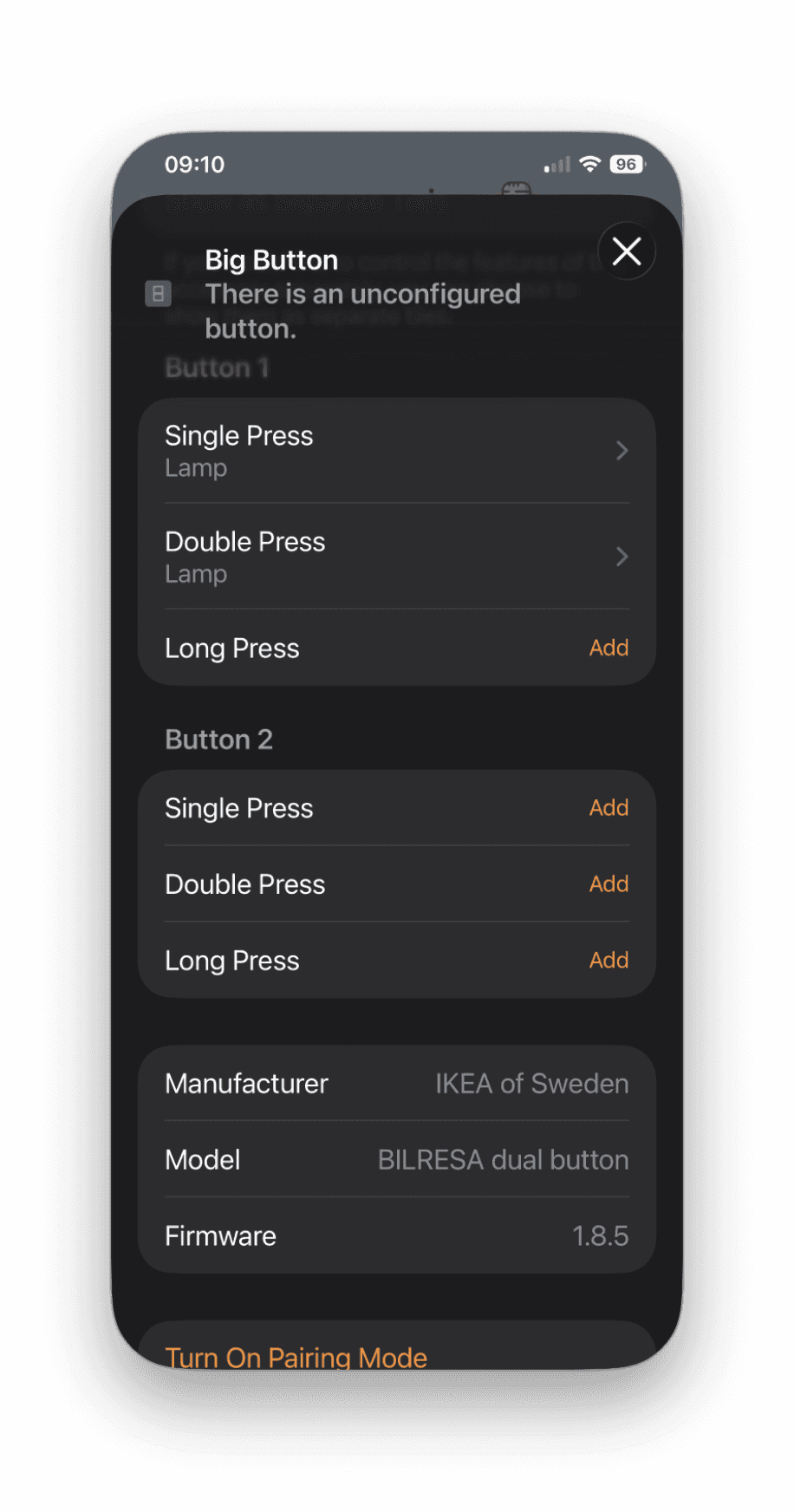
Each button appears as a controllable trigger. The device itself supports single-press, multi-press, and long-press, but it’s worth noting that what you can actually use depends on what Apple Home exposes for this accessory. In practice, Apple Home keeps things fairly simple, which may limit how granular those press types appear in the UI.
EARLY USE CASES THAT MAKE SENSE
Because this is a new purchase, I’ve kept the setup deliberately simple.
So far, the BILRESA feels well-suited to:
turning lights on and off
triggering a frequently used scene
providing physical control for people who don’t use Siri
placing near a desk, bedside table, or doorway
Even with just two buttons, you have three triggers per button single-press, multi-press, and long-press so it covers a surprising amount of day-to-day interactions. Combine this with Shortcuts (especially If) and you can get surprisingly flexible behaviour. That alone removes a lot of friction from daily use.
In my automation (converted to shortcut) I've turned a single press into two actions:
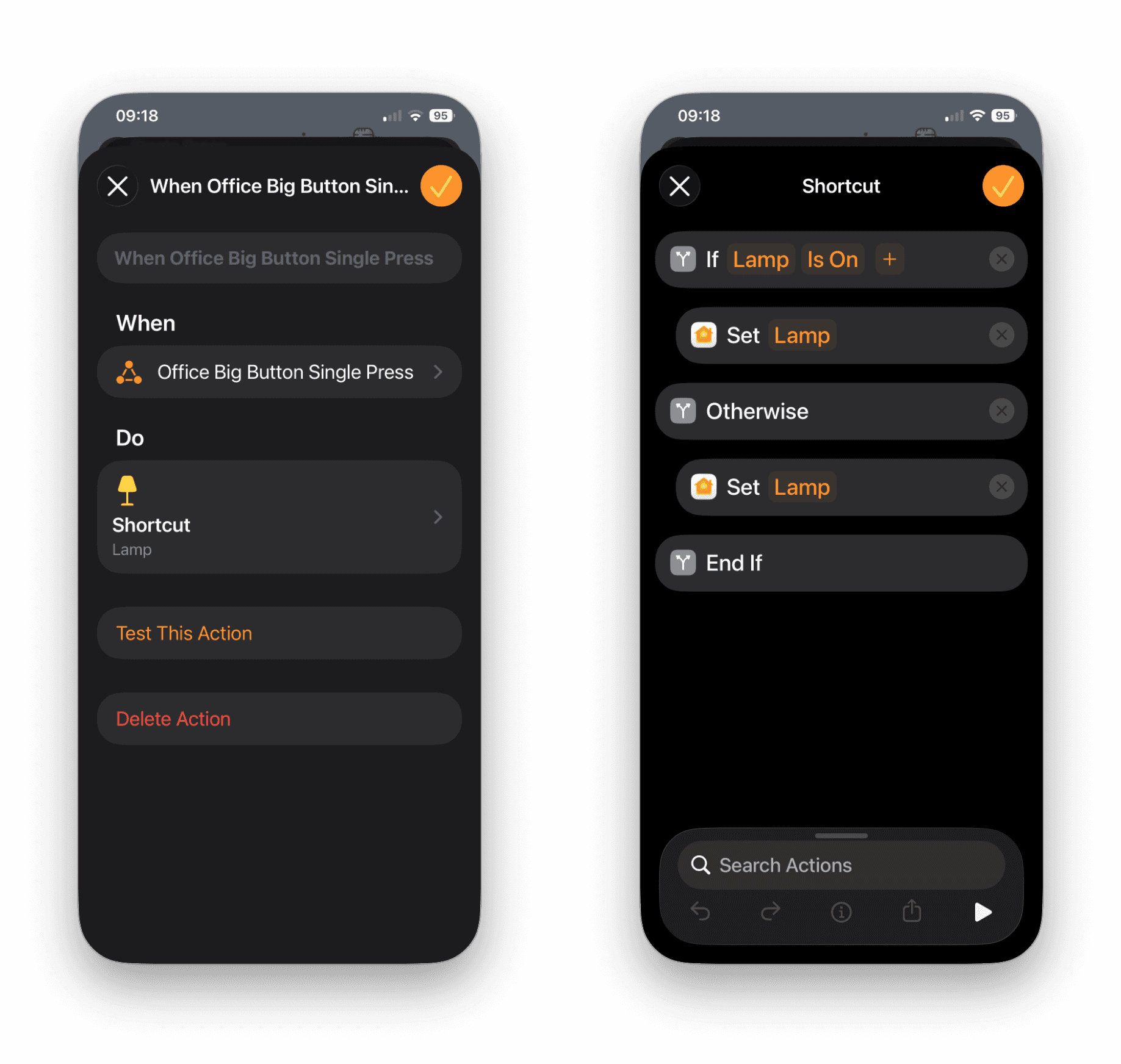
See my previous post about Convert Home Automations to Shortcuts (and Make Automations Feel Smarter)
WHAT LOOKS PROMISING SO FAR
Even early on, a few things stand out:
The price makes it extremely easy to justify
Matter support keeps everything hub-free and local
Physical buttons are still faster than voice or apps
Simplicity makes it easy for anyone else to use
It feels like the kind of device you add quietly — and then wonder why you didn’t do it sooner.
LIMITATIONS TO BE AWARE OF (EARLY)
These aren’t deal-breakers, but they’re worth knowing upfront:
Only two physical buttons
No ongoing visual feedback or status indication (beyond pairing flashes)
Uses AAA batteries rather than a coin cell
WHO THIS IS LIKELY FOR
Based on first impressions, the BILRESA makes sense if:
you want simple physical control in Apple Home
you’re experimenting with Matter accessories
you want to avoid extra hubs
you value low-cost, practical additions
It feels especially well-suited to shared spaces, where obvious physical controls still matter. I find these controllers really handy when we have guests staying.
WHAT I’LL BE WATCHING OVER TIME
As this moves from “new purchase” to daily use, I’ll be paying attention to:
battery life
reliability of button presses
how flexible it feels as automations grow
whether Apple Home exposes more press options over time
FIRST-IMPRESSION VERDICT
The IKEA BILRESA dual button remote doesn’t try to do much — and that’s exactly why it works.
At £3, it’s an easy, low-risk way to add physical control to Apple Home using Matter. If you’re building out a Matter-based setup and want something tangible you can press, this is a very easy place to start.





More in
Reviews
IKEA timmerflotte review: The Best Budget Temperature and Humidity Sensor for Apple Home?
Reviews
IKEA MYGGSPRAY Review: A £7 Matter Motion Sensor
Reviews
Aqara FP2 Presence Sensor – 1 Year Later (Zones, Ghosting, and What I’d Buy Now)

Reviews
Review: Eve Motion Sensor

Reviews
Review: Onvis SMS1 Motion Sensor
Reviews
Aqara G4 Doorbell
Reviews
HomePod Software Update 18.2

Reviews
Aqara Door and Window Sensor

Reviews