
Difficulty | Duration | Requires |
|---|---|---|
Easy | 5 Minutes | • Home Hub• Motion Sensor |
In this guide, we’ll build simple automation that will turn on a light when motion is detected from a motion sensor. For this automation, I’ll be using the Onvis SMS1 sensor, but this would be the same regardless of motion sensor type just as long as its exposed to Homekit..
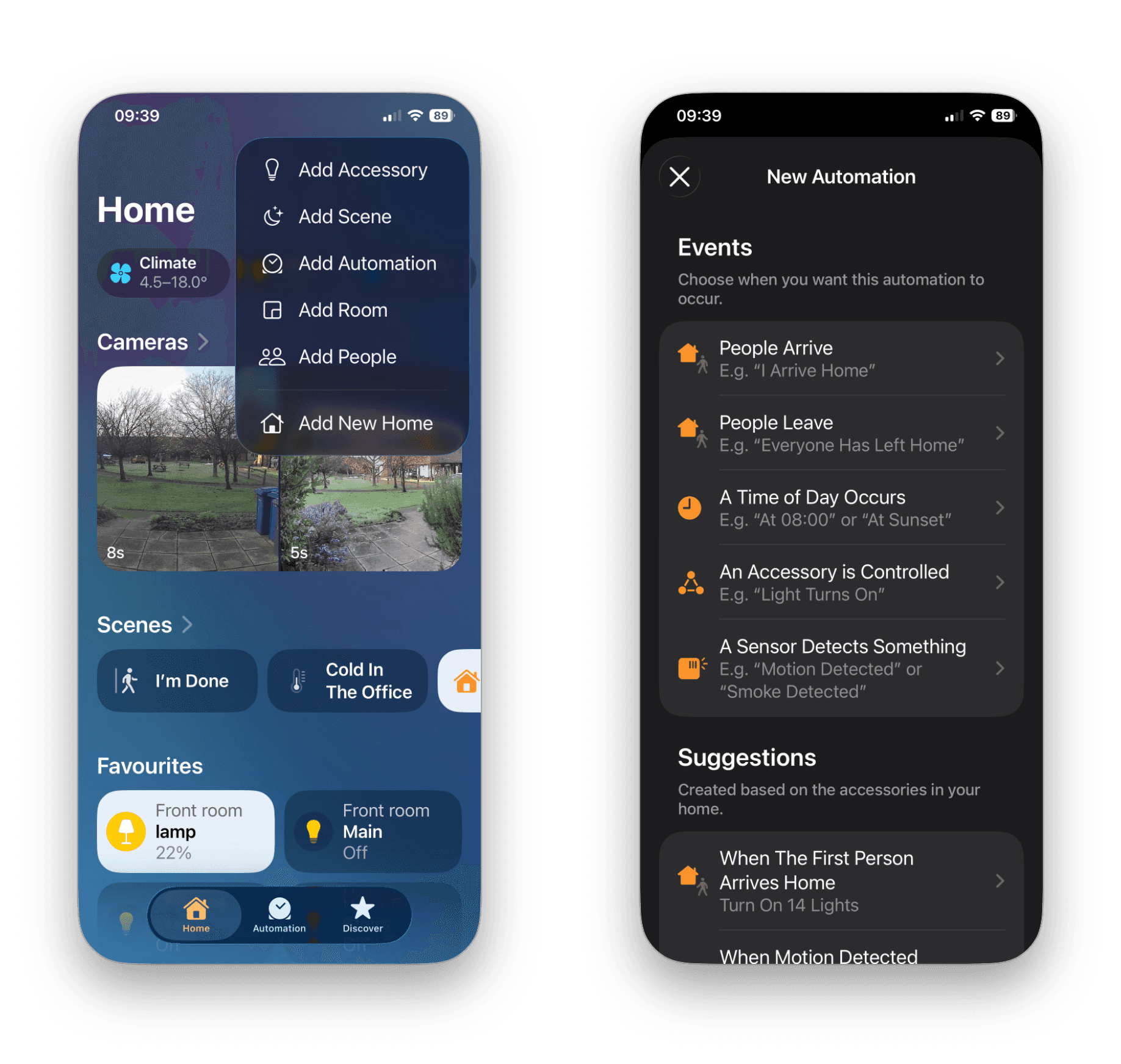
Open the Home app
Select the + symbol (top right)
Then select Create Home Automation.
Select A Sensor Detects Something.
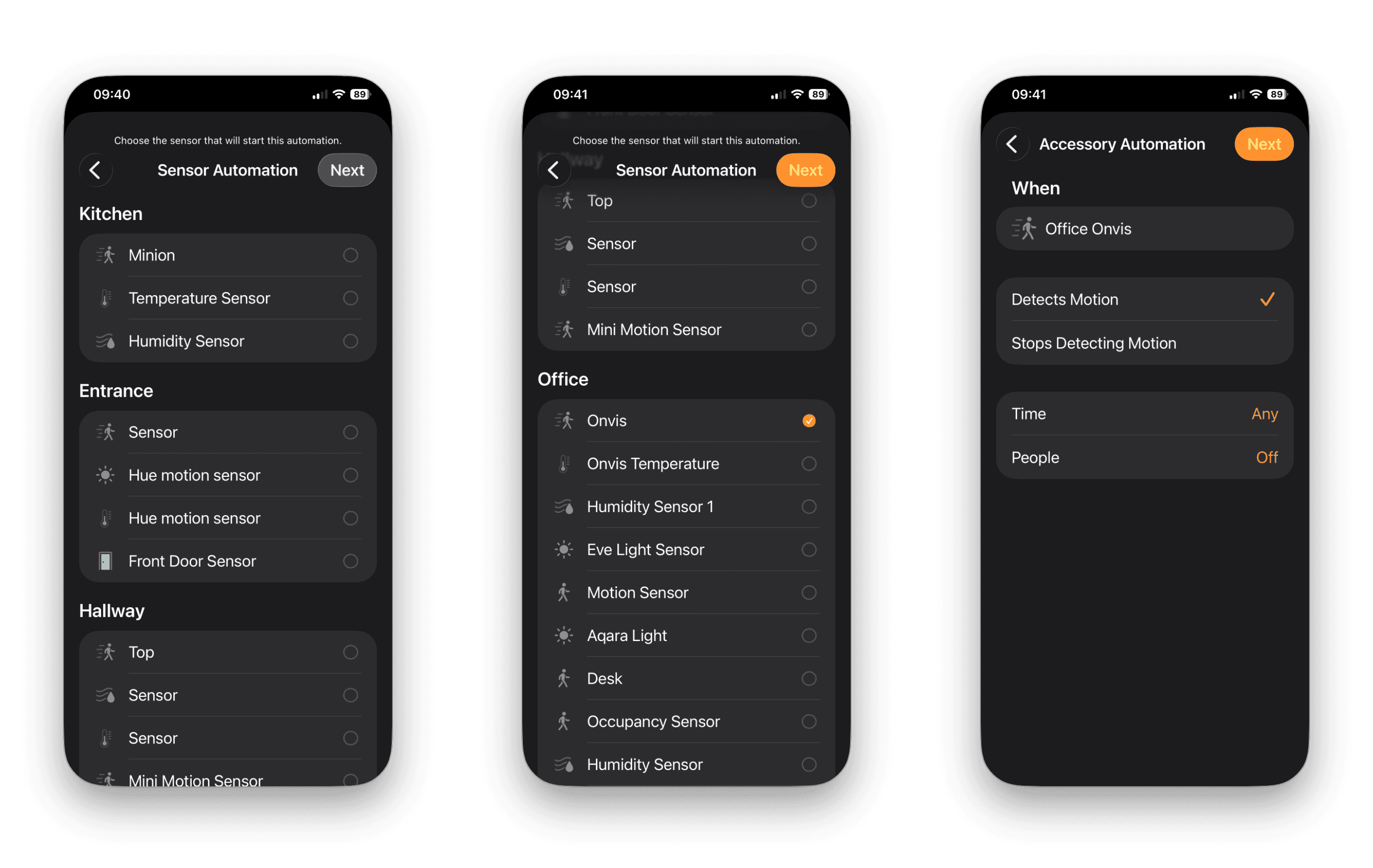
Then select the motion sensor from your Home accessories.
Ensure that Detects Motion is selected.
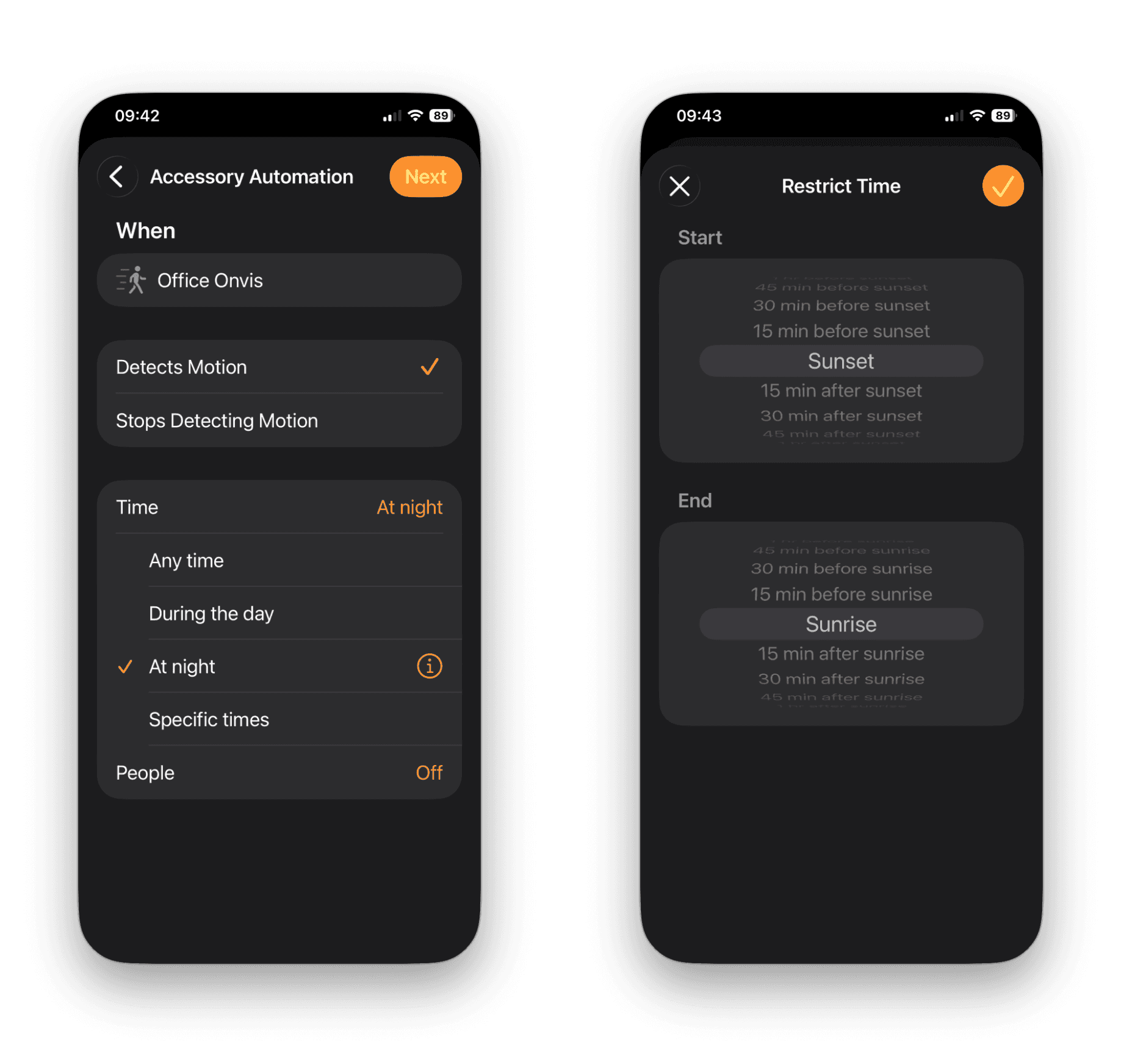
Select Time and select During the night.
Select the i symbol and then select your Start and End.
Here I have selected the start to at Sunset and at Sunrise
Then select the light or lights we want to switch on when motion is detected. In this automation, I’ve selected the Office lamp light.
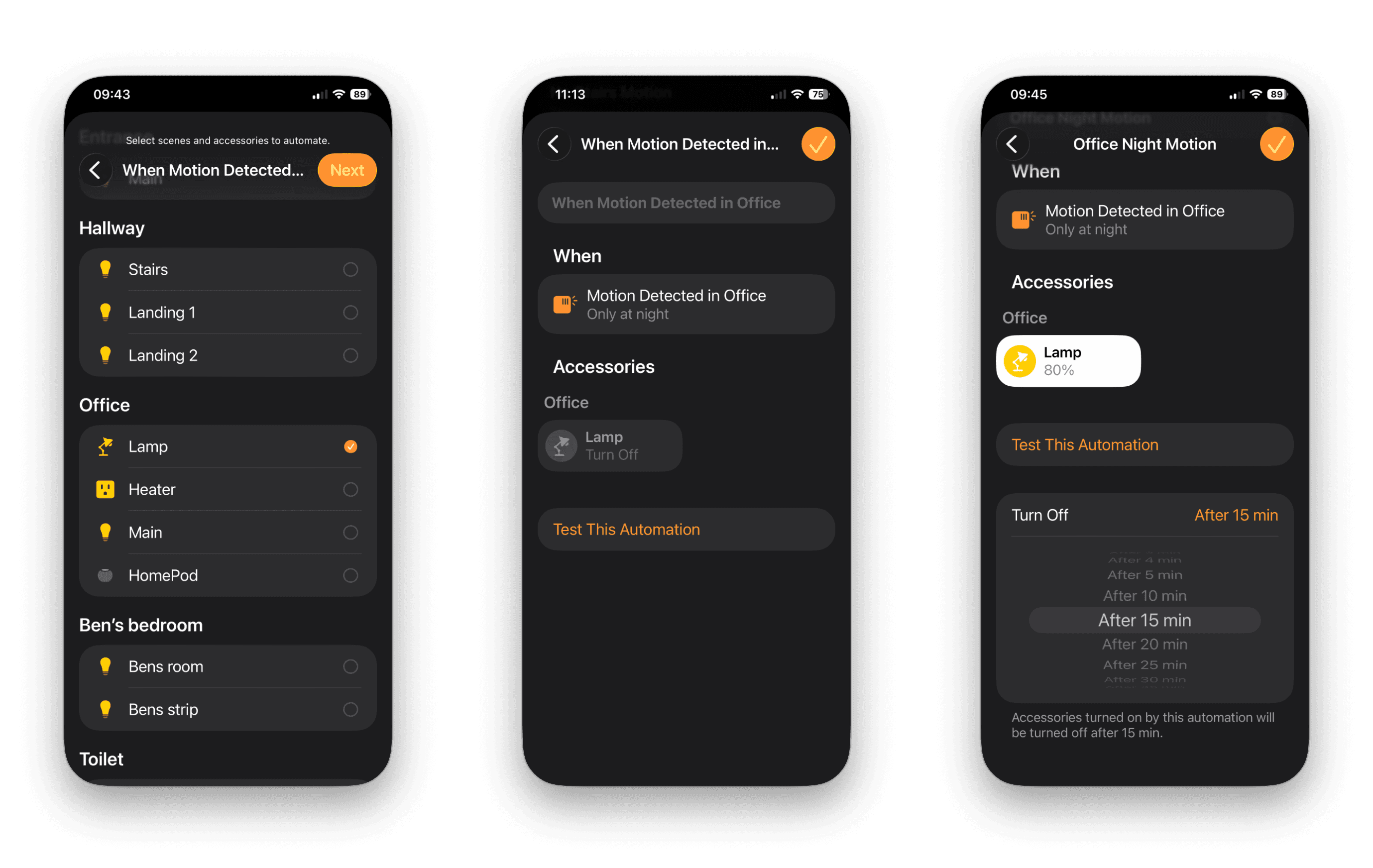
Press the accessory icon once to turn it on or off. If you long-press you can set the switch on brightness.
You can then set how long the accessory stays on for once the automation runs, here I’ve selected 15 mins.
And that’s it. Simple automation to switch on a light if motion is detected within a certain time frame. In a later tutorial I’ll show you how you can create this automation but convert it to a shortcut so instead of having the light switch off after 15 minutes within the automation, we’ll switch off the light when the motion sensor no longer detects motion.
As always, please take a moment to rate this post below if you found it helpful.